10 Best Android Fast Charger
From leading brands and best sellers available on the web.By clicking on a link to a third party's website, log data is shared with that third party.
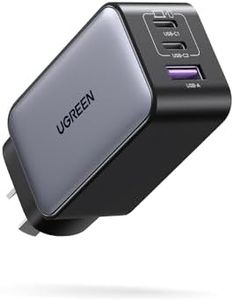
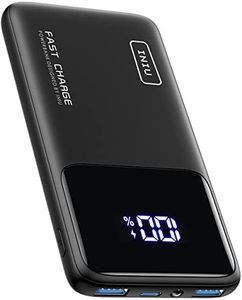
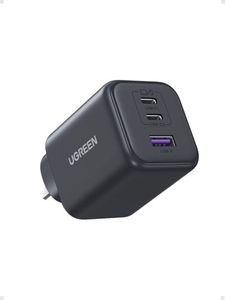
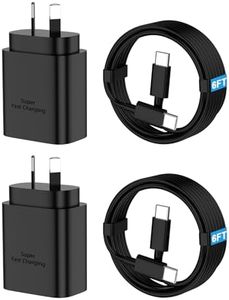
Related Products
Up to 60% off

Recommended lists

Top rated
Fast Charger
Buying Guide for the Best Android Fast Charger
Choosing the right Android fast charger can make a significant difference in how quickly and safely your devices recharge. With various options available, it’s important to understand the core features that matter most to your needs, such as charging speed, compatibility, and safety. Knowing a bit about these specs will help you select a charger that matches your device capabilities and usage habits, ensuring efficient charging whether you’re at home, work, or on the go.Wattage (Power Output)Wattage refers to how much power the charger can deliver to your device, usually written as W (for example, 18W, 30W, or 65W). A higher wattage typically means faster charging, but only up to what your device supports. Wattage can be broken down into low (less than 15W), medium (15–30W), and high (30W and above). For most phones, medium wattage is sufficient, while tablets and laptops might benefit from higher wattage. Check what your device supports—choosing a charger with a matching or slightly higher wattage is best, as going beyond your device’s limit won’t speed things up.
Charging Standard (Protocol)Charging standards like USB Power Delivery (USB-PD) and Qualcomm Quick Charge are protocols that manage how quickly and safely your charger delivers power. USB-PD is often the most widely compatible, while Quick Charge is common with many Android devices. Chargers are usually labeled with which standard they support. To get the fastest and safest charging, pick a charger that matches the standard your phone or device recommends in its manual or on the manufacturer’s website.
Number of PortsThe number of charging ports determines how many devices you can charge at once. Single-port chargers are more compact, ideal for personal use or travel. Multi-port options (two or more) are handy for charging several devices together, such as a phone and earbuds. Consider how many devices you normally charge at the same time—if it’s more than one, a multi-port charger saves space and outlets.
Port Type (USB-A vs. USB-C)The port type describes the physical connection interface on the charger, most commonly USB-A (older, rectangular) or USB-C (newer, smaller, oval-shaped). USB-C ports are now more common for fast charging and are usually better at supporting newer standards and higher wattages. If your cables and devices use USB-C, opt for a charger with USB-C ports to ensure compatibility and faster speeds. If you still use older accessories, a mix of both types can be useful.
Safety FeaturesGood chargers include safety features like overcurrent, overvoltage, and temperature protection. These help prevent overheating, damage to your device, or risk of fire. This information is often mentioned in product descriptions or packaging. Always choose certified chargers from reputable brands or those that highlight these safety mechanisms, especially if you plan to charge expensive or sensitive electronics overnight or for long periods.
Size and PortabilityThe physical size and design of the charger matter if you travel frequently or want something unobtrusive at home. Slim, lightweight models are easier to pack and less noticeable in wall outlets, while bulkier chargers may have more ports or higher wattage. Decide if you need something portable or if the charger will stay on your desk or nightstand—this will guide you toward the right size.