10 Best Cell Phones For Seniors
From leading brands and best sellers available on the web.By clicking on a link to a third party's website, log data is shared with that third party.
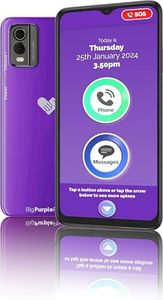

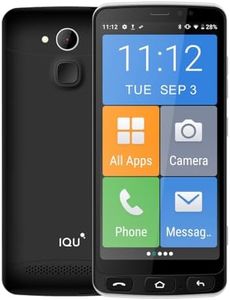
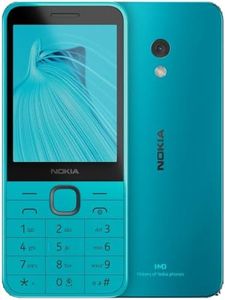
Related Products
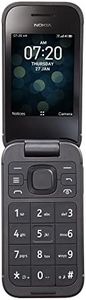
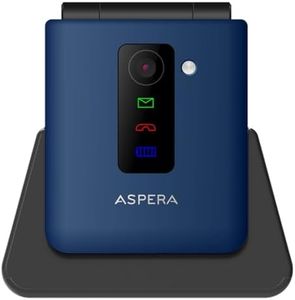

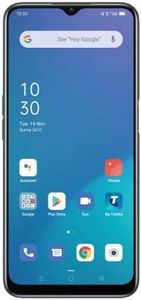

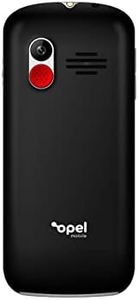
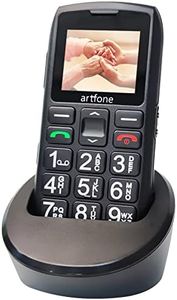


Buying Guide for the Best Cell Phones For Seniors
Choosing a cell phone for seniors requires a focus on simplicity, ease of use, and practicality. While modern smartphones come with many features, not all of them are necessary or helpful for older adults. The goal is to find a device that matches the user’s comfort with technology and supports their everyday activities. When shopping, consider how the phone will be used—whether it’s for making calls, sending texts, or occasionally browsing the internet—and prioritize features that make communication easy and enjoyable.Display Size and LegibilityDisplay size refers to how large the phone’s screen is, and legibility includes the clarity of text and icons. These are important because bigger, brighter screens with large text and high contrast are easier on aging eyes, making it simpler to read messages or dial numbers. Small displays might be more portable, but can be difficult for those with limited vision. When considering display size, look for screens that are at least 5 inches if vision is a concern, but avoid oversized screens if one-handed use matters. Ideally, test the phone in hand to ensure it feels comfortable and the screen content is easy to see.
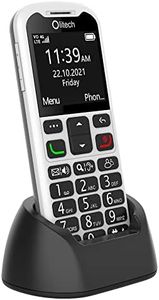
Physical Buttons vs. TouchscreenSome cell phones have touchscreens, while others use physical buttons for dialing and menu navigation. Physical buttons can be easier for seniors with limited dexterity or those new to touch devices, offering tactile feedback and straightforward controls. Phones with large, clearly labeled buttons are particularly good for users who might find touchscreens confusing or fiddly. On the other hand, touchscreens provide flexibility and access to more features. If the main activities are calling and texting, physical buttons may be preferable, but for accessing apps or browsing, a touchscreen may be worth the learning curve.
Hearing Aid Compatibility and VolumeHearing aid compatibility (HAC) means the phone works well with most hearing aids without producing feedback or interference, and good volume means the earpiece and speaker can be set loud enough for those with hearing loss. For seniors who use hearing aids, phones labeled as HAC or with M and T ratings generally offer the best experience. When thinking about volume, ensure the phone’s speakerphone and earpiece get loud and clear enough. Always try to test the phone with any hearing aids the user has, if possible.
Emergency FeaturesSome phones designed for seniors include dedicated emergency buttons or features that let a user quickly call a pre-set number or send a distress alert. This is important for peace of mind, especially for those living alone or with medical conditions. Emergency buttons are usually brightly colored and easy to press, often placed on the back or side of the phone. If safety is a primary concern, look for a phone with a simple emergency function that fits the user's needs and make sure it’s easy to set up and understand.
User Interface SimplicityThe user interface is the way you interact with the phone’s menus and settings. Simpler interfaces with clear menus, large icons, and fewer distractions are friendlier for those who aren’t tech-savvy. Some phones have special modes for seniors that strip out unnecessary options and make navigation easy. When evaluating, look for phones described as “easy to use,” “simple,” or “for seniors,” and check if the interface can be customized to show just the most important functions.
Battery LifeBattery life is how long the phone lasts before needing a recharge. It’s particularly important if remembering to charge devices is an issue, or if the phone is needed for emergencies. Phones with basic features often have much longer battery life—sometimes several days—while smartphones, with bigger screens and more functions, need more frequent charging. Think about daily habits: if the user is likely to forget charging, prioritize models known for extended standby times.
Durability and GripDurability refers to how well the phone can withstand drops and everyday wear, while grip is about how easy it is to hold without slipping. Phones with sturdy builds or rubberized edges are less likely to get damaged if dropped, which is helpful for those with less steady hands. Lightweight phones can be easier to handle, but not if they feel too slippery. If dropping phones is a concern, choose one with a robust, grippy design.