10 Best Computer Vacuum For Pc
From leading brands and best sellers available on the web.By clicking on a link to a third party's website, log data is shared with that third party.


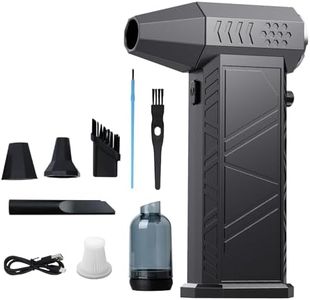


Recommended lists
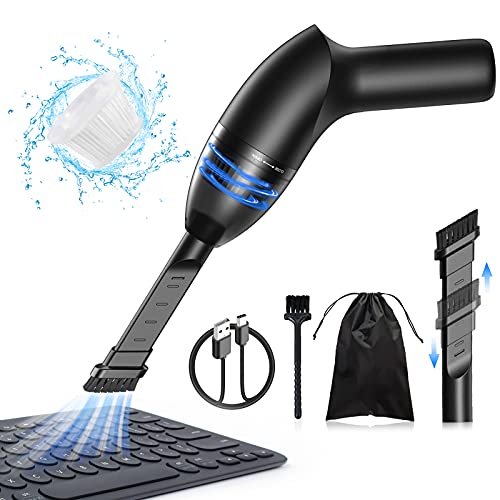
Top rated
Anti Static Vacuum For Computer
Buying Guide for the Best Computer Vacuum For Pc
Choosing the right vacuum for your computer can help you keep it clean and running smoothly by removing dust and debris from delicate components. It's important to select a vacuum that is specifically designed for electronics, as using regular household vacuums may cause static electricity that could damage your computer. When searching for the best computer vacuum, focus on the key features listed below, think about how you plan to use it, and match those choices to your specific needs.Power SourceThe power source determines whether the vacuum operates using batteries, USB connection, or plugs directly into an outlet. This choice can impact both convenience and portability. Battery-powered models are more portable and easy to use anywhere, but they need to be recharged or have batteries replaced. USB-powered models draw energy from your computer or another USB port, making them lightweight and handy for desk work, but may not be as powerful. Plug-in models generally offer stronger suction but sacrifice portability. If you plan to clean your computer frequently at your desk, USB or plug-in options may suit you well, whereas a battery-powered model is better if you want to occasionally clean multiple devices in different places.
Suction PowerSuction power, usually measured in units like kilopascals (kPa) or simply described as 'high' or 'low', indicates how strongly the vacuum can pull in dust and debris. This is important because insufficient suction won't effectively clean your components, while too much can potentially damage delicate parts. Lower suction power is usually enough for keyboards and vents, while higher suction is better for removing more stubborn dust from fans or deeper crevices. If you only plan to clean the surface or smaller spaces, a moderate suction is fine, but for heavy or infrequent cleaning jobs where lots of dust have built up, opt for a stronger suction power.
Attachments and NozzlesAttachments such as brushes, crevice tools, and flexible hoses determine how precisely you can clean different parts of your computer. Brushes help dislodge dust from fans or keyboards without scratching, crevice tools reach tight spaces, and flexible hoses give you better access to awkward angles. Consider what parts of your PC you need to clean; if it's mainly keyboards, a small brush attachment is essential, but if you're cleaning inside towers or around cables, a variety of attachments will be more useful.
Filtration TypeThe filtration type tells you how well the vacuum traps dust and prevents it from being released back into the air. Some vacuums use simple foam filters, while higher-end options offer HEPA filters that trap very fine particles. Good filtration is especially helpful if you're sensitive to dust or have allergies. If air quality is important or your environment is dusty, look for models with better filtration, but if this isn’t a big concern for you, basic filters will usually suffice.
Static ProtectionStatic protection is a feature that ensures the vacuum won't build up or discharge static electricity, which could potentially damage your computer's sensitive electronics. This is especially important when cleaning circuit boards and internal components. Look for anti-static features or materials, especially if you plan to clean inside your PC case. For just keyboard and external cleaning, this is less critical, but for any internal maintenance, static protection is a must.
Noise LevelNoise level refers to how loud the vacuum is when operating, usually measured in decibels (dB). A quieter vacuum is more comfortable to use, especially in shared or quiet spaces like offices or bedrooms. Smaller handheld or USB models tend to be quieter, while powerful plug-in models can be louder. If you’re sensitive to noise or will use the vacuum in quiet environments, consider a model with lower noise output.
Maintenance and Ease of CleaningMaintenance involves how easily you can empty the dust container and clean or replace filters. Some models have transparent dust compartments so you can see when they’re full, while others have washable or easily replaceable filters. If you want a vacuum that’s easy to care for and won’t take much time to maintain, look for one with simple-to-access dust bins and reusable filters.