10 Best Content Creators Cameras
From leading brands and best sellers available on the web.By clicking on a link to a third party's website, log data is shared with that third party.
Related Products
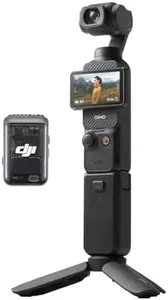
![DJI [International Version] Pocket 2 Creator Combo - 3 Axis Gimbal Stabiliser with 4K Camera, 1/1.7” CMOS, 64MP Photo, Pocket-Sized, ActiveTrack 3.0, Glamour Effects](https://images-proxy.bestreviews.guide/3HVcy98gQCR1kgnxDGFZAbXSD4Y=/0x300/https://m.media-amazon.com/images/I/318qTKXIEEL._AC_CX679_.jpg)
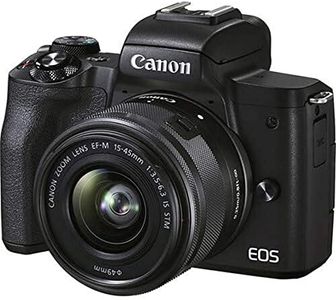
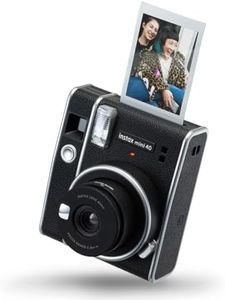
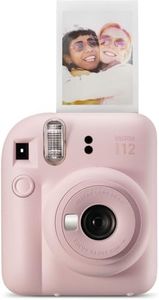

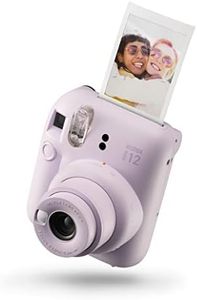
Buying Guide for the Best Content Creators Cameras
Choosing a camera for content creation goes beyond just picking the one with the highest number of megapixels. It's about finding a tool that matches your purpose, your workflow, and the kind of content you want to produce—whether that's videos, vlogs, livestreaming, or photography. When shopping, it's helpful to start by listing your main uses (like filming YouTube videos, shooting stills for social media, or streaming) as this will help you pinpoint which features matter most. You’ll want a balance between image quality, usability, and features that specifically support creation, like audio input options and connectivity. Understanding the key specifications will help you make a choice that saves you time and helps you produce great content.Sensor SizeSensor size determines how much light the camera can capture and generally affects image quality, low-light performance, and depth of field (blurry background effects). The main types are full-frame, APS-C, and Micro Four Thirds. Full-frame sensors are larger, offering better image quality and low-light performance, but usually mean bigger, heavier, and more expensive cameras. APS-C sensors offer a balance of quality and portability, while Micro Four Thirds are smallest and most portable, with some trade-offs in image quality. If you mostly shoot in controlled lighting or prioritize portability, a smaller sensor like APS-C or Micro Four Thirds is fine. For cinematic look, professional photo quality, or lots of low-light shooting, consider a full-frame camera.
Video Resolution and Frame RatesVideo resolution (like 1080p HD or 4K) affects the sharpness and clarity of your videos, while frame rates (measured in fps—frames per second) impact how smooth your footage is, especially for slow-motion shots. 1080p at 30fps is good for basic vlogging, but if you want crisp, detailed footage or plan to crop in post-production, look for 4K support. Higher frame rates (like 60fps or 120fps) allow for smoother motion or slow-motion video. Choose higher resolutions and frame rates if you're producing visually polished work, otherwise, standard 1080p/30fps works well for quick, simple content.
Autofocus SystemA good autofocus system ensures your camera keeps your subject sharp, which is crucial for solo content creators, especially those who move a lot in front of the camera. Systems vary from basic contrast-detection to advanced phase-detection with eye- or face-tracking. If you plan to move around or film yourself a lot, prioritize cameras with fast, reliable autofocus and face or eye detection. If you mostly shoot static subjects or have time to focus manually, a basic system may be sufficient.
Audio Inputs and QualityClear audio is key to professional-looking content, and built-in camera microphones often aren’t enough. Cameras with microphone and headphone jacks allow you to use external mics and monitor sound, giving you much better audio quality. If you want simple audio or add voiceovers later, built-in mics might work, but for interviews, vlogs, or anything relying on clear speech, external audio inputs are essential.
Screen ArticulationArticulating (flip-out or tilting) screens let you see yourself if you're filming solo and make tricky angles easier to shoot. Fixed screens are fine for traditional photography or if someone else is operating the camera. If you’re vlogging, livestreaming, or need creative angles, prioritize a fully articulating or at least tilting screen.
StabilizationImage stabilization helps reduce blur and shakes from handheld shooting, especially useful for recording video while walking or moving. Some cameras have stabilization in the body (IBIS), while others rely on lens stabilization or digital methods. For lots of handheld filming or action shots, look for strong stabilization. For mostly tripod or static shots, this is less crucial.
ConnectivityModern creators often need to transfer files quickly or stream live. Features like Wi-Fi, Bluetooth, USB streaming, and HDMI outputs make sharing, tethering, or livestreaming easier. If rapid sharing, remote control, or direct-to-computer streaming are part of your workflow, seek out comprehensive connectivity options.