10 Best Deco Mesh Wifi Systems
From leading brands and best sellers available on the web.By clicking on a link to a third party's website, log data is shared with that third party.

Related Products
Up to 36% off

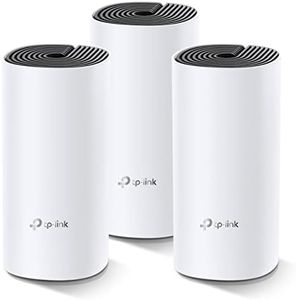
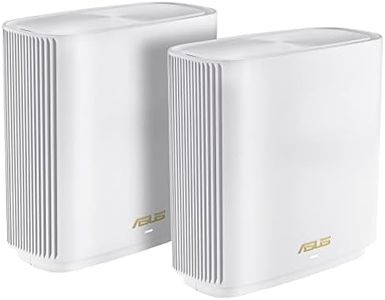


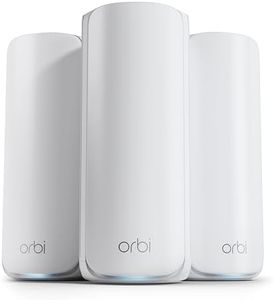
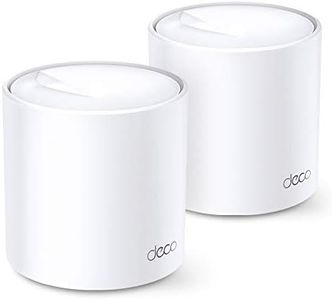
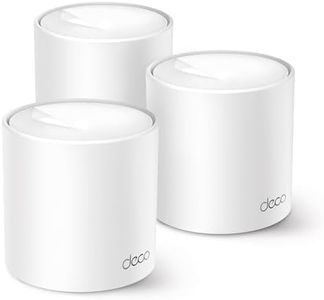
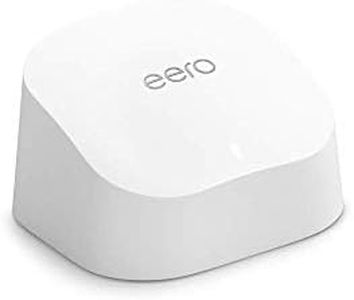
Buying Guide for the Best Deco Mesh Wifi Systems
Deco mesh WiFi systems are designed to provide strong, reliable wireless internet coverage throughout your home or office by using multiple devices (called nodes) that communicate with each other. Instead of relying on a single router, mesh systems spread your WiFi signal out and help eliminate dead zones. When choosing the right mesh system for your needs, it's important to focus on the features and specifications that will impact coverage, speed, and user experience.Coverage AreaCoverage area tells you how much space the mesh WiFi system is designed to cover with a strong signal. This is important because every house has a unique size and layout, and you need a system that reaches every corner where you want WiFi access. Coverage is typically measured in square feet or meters. Smaller coverage (e.g., around 2500 sq. ft.) is good for apartments or small homes, while larger coverage (up to 6000 sq. ft. or even more with extra nodes) is suited for bigger properties or multiple floors. To pick the right one, consider the total area of your home, including any outdoor spaces you would like to cover, and remember that walls, floors, and other obstacles can decrease actual coverage.
Number of NodesThe number of nodes refers to how many mesh units come in the package. This matters because each node extends the WiFi network. Systems can come with as few as two or as many as four or more nodes. Fewer nodes can suffice for smaller homes or spaces with an open floor plan, while larger homes or areas with many rooms often require more nodes. Think about the layout and number of floors in your house or office to decide how many nodes you'll need for optimal coverage.
WiFi Standard (WiFi 5, WiFi 6, etc.)The WiFi standard determines the speed and efficiency of your wireless network. WiFi 5 (802.11ac) is suitable for regular browsing and streaming, while WiFi 6 (802.11ax) brings faster speeds, better performance in crowded networks, and improved battery life for connected devices. There are also newer versions, but adoption may take time. Choose based on the types and number of devices you use: if you have smart TVs, gaming consoles, and lots of users, WiFi 6 is more future-proof, but for basic needs, WiFi 5 might be enough.
Maximum SpeedMaximum speed refers to the top data rates the system can offer, usually measured in Mbps or Gbps. This determines how fast your internet feels, especially when many devices are connected. Entry-level mesh systems offer lower maximum speeds (e.g., 300 Mbps–500 Mbps) suitable for web browsing and light streaming, while higher-end options deliver 1 Gbps or more, ideal for 4K streaming, large downloads, and gaming. Assess your internet plan and the kind of online activities you do most to decide what speed is right for you.
Backhaul OptionsBackhaul refers to how the nodes communicate with each other, which can be wireless or through Ethernet cables. Wireless backhaul is convenient for most people, but performance can suffer if there's interference. Some systems offer a dedicated wireless band just for node communication, which improves speed. Ethernet backhaul allows physical connections between nodes for maximum reliability and speed, especially in larger homes with thick walls. If your home is difficult for wireless signals to pass through, or if you want the best performance, look for a system that supports Ethernet backhaul.
Parental Controls and Security FeaturesParental controls and security features help keep your network and family safe. Parental controls let you set time limits, block certain websites, or monitor usage for different devices. Security features can include automatic updates, malware protection, and guest networks. Basic systems may have limited controls, while advanced ones offer detailed customization. If you have children, want peace of mind, or work from home, robust parental controls and security should be a top priority when comparing systems.
Ease of Setup and ManagementEase of setup and management describes how simple it is to get the system running and maintain it. Many mesh systems use smartphone apps to guide you step-by-step through setup and to manage your network afterwards. Some provide clear visuals, automatic optimizations, and helpful notifications. If you want a hassle-free experience, choose a system known for user-friendly apps and straightforward management, especially if you are not comfortable with networking technology.
ExpandabilityExpandability means how easily you can add more nodes if you need extra coverage in the future. Some mesh systems let you mix and match various types of nodes, making it simple to grow your network as your needs change. If you think you might move to a larger home or want WiFi in new places later on, a system with good expandability will save you from starting over.