10 Best Digital Picture Frames Wifi With App
From leading brands and best sellers available on the web.By clicking on a link to a third party's website, log data is shared with that third party.



Related Products
Up to 50% off








Buying Guide for the Best Digital Picture Frames Wifi With App
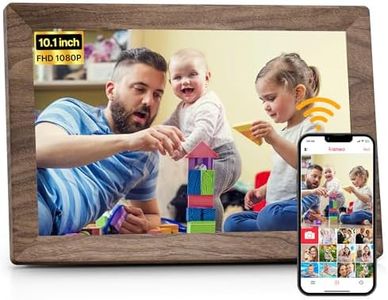
Choosing a digital picture frame with WiFi and app support can be a fantastic way to display your favorite memories around the house, office, or as a thoughtful gift. Instead of handling prints, these frames allow you to easily show and update photos from different devices and locations. When selecting the right one, it's important to understand how each specification influences your experience, especially if you want something easy to use, fits well in your space, displays high-quality images, and makes sharing photos simple for friends and family.Screen SizeScreen size is the measurement of the visible display area, usually given in inches diagonally. This is important because it affects how big your photos will appear and how well the frame fits in your intended space. Smaller frames (7-8 inches) are best for desks and small shelves, providing a more personal touch. Medium frames (10-12 inches) work well on larger surfaces like side tables or mantels, giving a good balance of size and portability. Larger frames (15 inches or above) are meant for prominent display areas and mimic traditional picture frames. To pick the right size, think about where you'll place the frame and how visible you want your photos to be: tighter spaces benefit from smaller screens, while open, central locations make use of larger displays.
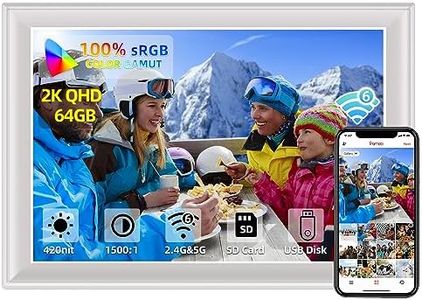
Display ResolutionDisplay resolution describes how many pixels are present on the screen, affecting the sharpness and clarity of photos. A higher resolution means more detail and crisper images, which is especially important for larger frames. Standard resolutions like 800x600 provide an acceptable picture for small frames, while frames 10 inches and above benefit from higher resolutions such as 1280x800 or Full HD (1920x1080). If you are showing off high-quality or detailed images, or want a professional look, you should choose a higher resolution. For quick family snapshots or casual viewing, a basic resolution will suffice. Your choice should align with how important image clarity is to you.
WiFi ConnectivityWiFi connectivity allows your frame to connect to the internet, making it possible to update and manage photos wirelessly. This is crucial if you want the flexibility to send images directly from your phone, or let friends and family update pictures from anywhere. Some frames offer only basic WiFi for one-time setup, while others maintain a constant connection for ongoing updates and cloud storage sync. If you plan to frequently change photos or want multi-user sharing, pick a frame with robust, always-on WiFi capabilities. For simpler needs, basic WiFi for occasional updates might be enough.
App CompatibilityApp compatibility refers to the frame's ability to connect to and be managed by a mobile app or web service. This makes sending, organizing, or deleting photos much easier, especially when compared to using USB drives or SD cards. Some frames support popular photo apps and cloud services, while others require their specific apps. If you want effortless operation, sharing features, and remote management, look for a frame with a reliable, well-reviewed app that works on your mobile device (iOS or Android) and is easy to use for everyone in your circle.
Storage OptionsStorage options determine how many photos and videos your digital frame can hold. Built-in storage is common, with capacities ranging from a few gigabytes to several dozen. Some frames also support cloud storage and/or external memory cards. Higher internal storage is better for users who want to load up a lot of media or prefer not to rely on cloud services. If you want an easy, set-and-forget experience, choose a frame with enough internal or included cloud storage for your needs. Those who like to update content often or appreciate flexibility may prefer frames with both internal and expandable storage.
Photo and Video SupportThe types of photo and video formats a frame can show affect how versatile it is. Most frames handle common photo formats (like JPEG or PNG), but not all support video playback or more specialized formats. If you want to share short family videos, look for a frame that supports common video files (such as MP4). For basic photo slideshow use, nearly any frame will suffice. Consider what kind of media you want to display and ensure the frame matches your needs.
Touchscreen and ControlsSome digital frames come with a touchscreen, while others use physical buttons or remote controls. Touchscreens allow for easy, direct interaction with the interface, making setup and photo selection simple, but can sometimes show fingerprints. Button or remote-controlled frames might be preferable in high-traffic areas or for users who don't want to touch the screen. Consider how you'll interact with the frame and pick the control type that matches your comfort level—touch for a modern, user-friendly feel, or physical controls for simplicity and durability.
Design and Build QualityA digital frame's design—including its color, frame style, and materials—affects how it blends with your home or office decor. Sleeker, minimalist frames suit modern spaces, while classic or wooden-look frames fit traditional settings. Build quality also matters if you plan to place it in high-traffic areas or move it frequently. When choosing, think about both where it will sit and what style looks best with your surroundings.