10 Best Fiber Laser Engravers
From leading brands and best sellers available on the web.By clicking on a link to a third party's website, log data is shared with that third party.

Related Products
Up to 22% off
Buying Guide for the Best Fiber Laser Engravers
Choosing a fiber laser engraver can feel overwhelming, especially if you’re new to the technology. The key is to match the machine’s capabilities to your intended use. Fiber laser engravers are essential for marking, engraving, or etching metals and certain plastics with high precision and speed. Understanding your main use cases—such as jewelry making, industrial part marking, or artistic engraving—will help you focus on the right features. Always consider the type of materials you'll engrave and how frequently you'll use the machine. With an eye on these fundamentals, you’re well on your way to finding the right fiber laser engraver for your needs.Laser Power (Wattage)Laser power, measured in watts, indicates how strong the machine is at cutting and engraving materials. It’s one of the most important factors because it determines both the speed and the depth of engraving. Lower wattages (around 20W) are suitable for fine marking on thin metal surfaces or light engraving, making them ideal for jewelry or delicate components. Mid-range wattages (30-50W) offer more versatility, handling deeper engraving or higher speeds and can cover a broader range of small to medium-sized objects. Higher wattages (60W and above) are suited for industrial use, faster production, or deep engraving of harder materials. To choose right, think about the materials and the depth or speed you need: delicate work needs lower power, while mass production or deep engraving on hard metals needs higher power.
Working Area SizeThe working area size represents the maximum space the machine can engrave in one pass. This is crucial for determining the size of objects you’ll be able to engrave without repositioning. Small working areas (around 100x100 mm) are great for jewelry, tags, or small tools. Medium areas (up to 200x200 mm) balance versatility and compactness, covering most non-industrial needs. Large working areas (greater than 200x200 mm) are better for batch engraving or bigger items. Reflect on your typical projects and make sure the area fits your largest intended pieces.
Laser WavelengthThe laser wavelength is the specific light frequency the machine emits, and for fiber lasers, it’s usually around 1064 nm. What’s important here is material compatibility: 1064 nm fiber lasers are well-suited for metals and some plastics, but not for wood, glass, or paper. This means you should ensure your chosen materials match this wavelength. If you only plan to work with metals and some plastics, the typical fiber laser wavelength will be the right choice.
Pulse Frequency and DurationPulse frequency and duration describe how often the laser fires and for how long during pulsed operation, which affects engraving detail and surface finish. Lower frequencies are generally used for deep, strong engraving, while higher frequencies allow for finer, cleaner marking with less material removal. Adjustable pulse parameters let you customize for either quick marks or detailed graphics. If your work requires intricate designs or smooth finishes, pay attention to a machine with flexible and higher frequency options. If you’re mostly after deep, bold marks, a lower frequency range can do the job.
Cooling MethodFiber lasers generate heat during operation and need a way to stay cool. Cooling methods are usually air-cooled or water-cooled. Air-cooled systems are more compact and generally quieter, suitable for low-to-medium use and smaller machines. Water-cooled systems handle higher power and intense operation well, making them better for continuous, industrial-grade work. Choose air-cooled for infrequent or hobby use, and water-cooled if you need long, heavy-duty sessions.
Software CompatibilityThe software the engraver works with determines how you design, control, and manage your engraving projects. Look for machines that support user-friendly, widely-used software, especially if you don’t have a lot of technical experience. Some systems are compatible with common design programs or have their own simple interfaces; others require more specialized knowledge. Be sure the software fits your comfort level and workflow demands, and check if it supports file formats you commonly use.
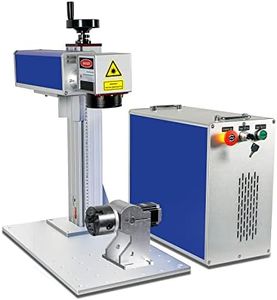
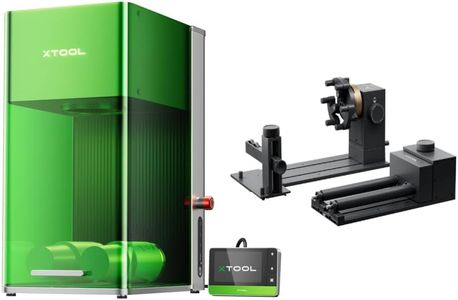
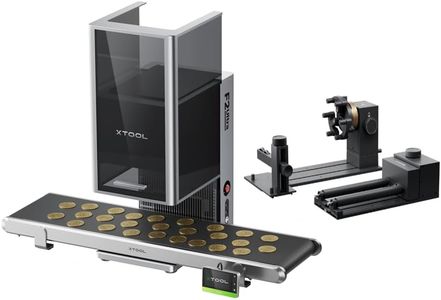
Rotary Attachment SupportA rotary attachment allows you to engrave cylindrical objects like rings, cups, or pipes. Not all fiber laser engravers include or support this accessory. If you plan to engrave round items, make sure the machine is compatible with a rotary device, or comes with one included. If you’re focusing on flat surfaces or plaques, this feature may not be necessary.