10 Best Homekit Cameras
From leading brands and best sellers available on the web.By clicking on a link to a third party's website, log data is shared with that third party.


Related Products
Up to 33% off
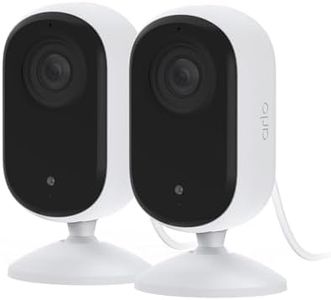



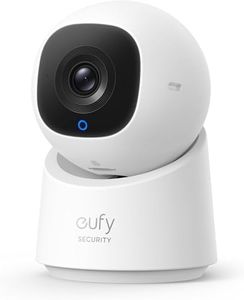
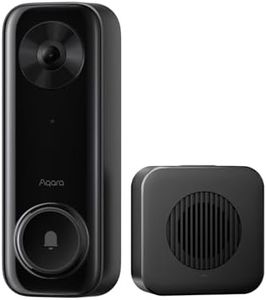


Buying Guide for the Best Homekit Cameras
When choosing a HomeKit camera for your home, think about your main goals—whether it's watching over your front porch, keeping an eye on pets, or increasing overall security. It's important to find a camera that works seamlessly with Apple's HomeKit system so that all controls, notifications, and recordings are centralized and accessible from your Apple devices. Start by identifying where you will place the camera and what you want to monitor, since these factors will affect which features are most important for your needs.HomeKit CompatibilityHomeKit compatibility means the camera can be connected and controlled through Apple’s Home app and Siri. This is essential if you want to use the features Apple provides, such as automation (like turning on lights when movement is detected), encrypted video storage, and notifications on your Apple devices. Some cameras support only basic HomeKit functions, while others support HomeKit Secure Video for better privacy and secure cloud storage. If tight integration and security are important to you, look for cameras that work with HomeKit Secure Video.
Video ResolutionVideo resolution determines the sharpness and detail in the footage the camera captures. The most common options are 720p (HD), 1080p (Full HD), and 4K (Ultra HD). Lower resolutions may be sufficient for small spaces or basic monitoring, but higher resolutions help capture clearer details, which is useful for recognizing faces or license plates. Choose a resolution based on how much detail you want to see and the area you need to cover: higher resolution is better for larger or more critical areas, while standard HD is usually enough for basic use.
Field of ViewField of view describes how much the camera can see, measured in degrees. A narrow angle (under 100°) covers a smaller area but can capture more detail in one spot, while a wide angle (over 120°) lets you see more of a room or outdoor space. If you want to monitor a big area with one camera, look for a wider field of view; for focused monitoring, a narrower view may be sufficient. Think about the space you're placing the camera in to decide which angle works best.
Night VisionNight vision allows the camera to capture video in low light or complete darkness, which is vital for 24/7 security. Some cameras offer only basic black-and-white night vision, while others provide color night vision or better clarity at a distance. If you need to see fine details at night—like faces or animals—choose a camera with strong night vision capabilities. Consider how dark your environment gets and whether there is street lighting nearby.
Power SourceHomeKit cameras can be powered in different ways: wired (plugged into an outlet), battery-powered, or even powered via Ethernet cables. Wired cameras don’t require frequent battery changes and tend to be more reliable for continuous recording, but they need to be near a power socket. Battery-powered cameras offer more flexibility in placement but require regular recharging. Decide how easy it will be to access the camera for charging or wiring and pick the power option that fits your setup.
Audio FeaturesAudio features can include a microphone (to hear what’s happening) and a speaker (so you can speak through the camera). Some cameras offer just listening, which is enough for basic monitoring, while others provide two-way talk, useful for speaking with visitors or warning intruders. Depending on whether you want to communicate or just listen, choose a camera with one-way or two-way audio.
Indoor/Outdoor UseSome cameras are designed to be used inside, while others are built to handle outdoor conditions like rain, dust, or extreme temperatures. Outdoor cameras are usually labeled as such and are weather-resistant or waterproof. If you're installing the camera outside, make sure it's rated for outdoor use; for inside, an indoor camera is sufficient and sometimes smaller or more discreet.
Motion Detection and AlertsMotion detection allows the camera to alert you when it senses movement. More advanced cameras can tell the difference between people, pets, or vehicles, reducing false alarms. You can often adjust the sensitivity and select specific zones to monitor. If you only want notifications when a person enters a certain area, look for a camera with customizable motion zones and smart detection features.
Storage OptionsHomeKit cameras can save footage either in the cloud or on local storage (like a memory card). HomeKit Secure Video allows encrypted footage to be stored on your iCloud account, while some cameras let you use their own cloud service or a local card. If privacy and sharing video across Apple devices are important, look for HomeKit Secure Video support and make sure you have enough iCloud storage. For those who want independent options, check if local storage is available.