10 Best Laptops For Photo Editing
From leading brands and best sellers available on the web.By clicking on a link to a third party's website, log data is shared with that third party.


Related Products
Up to 9% off

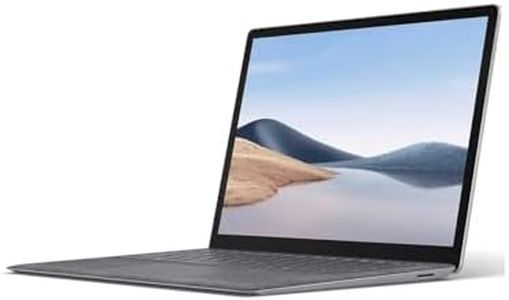


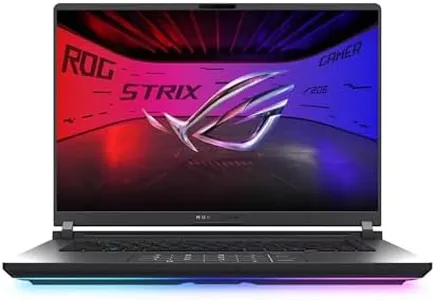
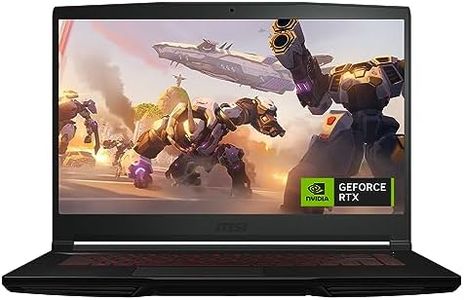
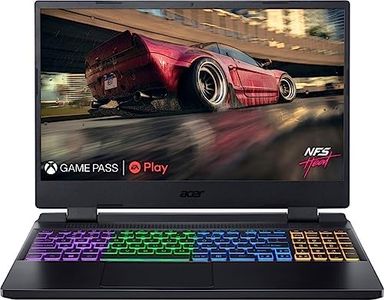
Buying Guide for the Best Laptops For Photo Editing
When looking for a laptop for photo editing, your main goal is to find a device that can handle demanding image processing tasks smoothly while offering a display that's accurate and pleasant to work with. A good photo editing laptop should be powerful enough for large files and quick edits, while the screen should showcase your images in true-to-life color and detail. Think about where you'll be working—at home, in a studio, or on the go—since portability and battery life might also be important for you. The right laptop will make your photo editing workflow easier, faster, and more enjoyable.Display Quality (Resolution and Color Accuracy)The display is one of the most important parts of a photo editing laptop because you'll be looking closely at the colors, brightness, and details of your images. Screen resolution refers to the number of pixels on your display; higher resolutions (like 1920x1080 Full HD, 2560x1440 QHD, or 3840x2160 4K) mean sharper images and more space to work with toolbars. Color accuracy, often measured in terms like sRGB or AdobeRGB coverage, tells you how true-to-life the colors are. For beginners or hobbyists, a good Full HD display with decent color coverage is usually fine, but for professional photo editing, consider a higher resolution and wide color gamut display (close to 100% sRGB or AdobeRGB) to make sure you see your images as they really are.
Processor (CPU)The CPU, or processor, is the brain of your laptop and affects how quickly it can apply edits, process large files, and run demanding software. You'll find CPUs with different numbers of cores and speeds (measured in GHz). For light photo editing, a mid-range multi-core processor often works well, but for heavy editing, large batches, or working with very high-resolution images, a more powerful CPU with more cores will be snappier and save you time.
Memory (RAM)RAM is your laptop’s short-term memory and helps it handle multiple tasks and large files smoothly. Photo editing programs and high-resolution images can use a lot of RAM. If you’re mostly editing basic images or just a few at a time, 8GB may work, but for serious photo editing, 16GB or more is strongly recommended to avoid slowdowns and allow for multitasking.
Storage (Type and Capacity)Storage controls how much data you can keep on your laptop and how quickly you can access it. There are two main types: older Hard Disk Drives (HDD) and faster Solid State Drives (SSD). SSDs are much faster and make your laptop and editing software run smoother. For light users, 256GB might do, but if you work with lots of raw photos or large files, 512GB or more is ideal, and some users prefer a laptop with space for adding more storage later.
Graphics Card (GPU)The graphics card can help with rendering effects and accelerating tasks in photo editing programs, but it is less important than other specs unless you’re also working with video or 3D. Integrated graphics are sufficient for most photo editing needs, but a dedicated GPU offers smoother performance with very large files or when using advanced features in software that supports GPU acceleration.
Portability and Battery LifeIf you often edit photos on the move or away from power outlets, the weight, size, and battery life of your laptop become important. Slimmer and lighter models are easier to carry but may sacrifice performance or screen quality. Consider where and how you most often edit photos: if it’s mostly at a desk, these features matter less, but for travel or location shoots, a balance of portability and performance is useful.
Connectivity (Ports and Card Readers)Photographers often need to connect devices like cameras or external drives, so having the right ports (such as USB, Thunderbolt, HDMI) and preferably a built-in SD card reader can save time and hassle. If your workflow includes transferring many photos from memory cards or connecting external screens or drives frequently, look for a laptop that makes this easy.