10 Best Laser Cutting Machines
From leading brands and best sellers available on the web.By clicking on a link to a third party's website, log data is shared with that third party.
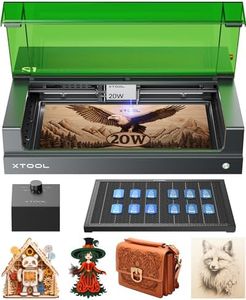
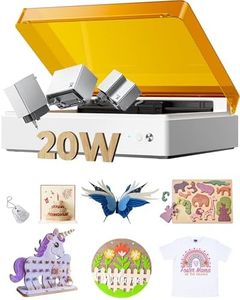
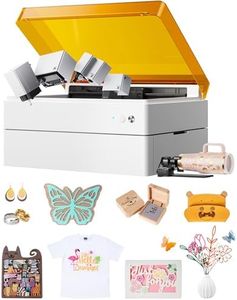

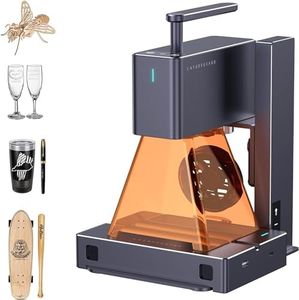
Related Products



Recommended lists

Top rated
Cutting Machines
Buying Guide for the Best Laser Cutting Machines
Choosing a laser cutting machine can seem complex, but it becomes easier once you understand what your needs are and how each key specification affects performance. Begin by thinking about what materials you'll cut most often, how thick they are, the level of detail you require, and how often you’ll use the machine. These factors will guide you to the machine that matches both your practical requirements and your creative goals.Laser Power (Wattage)Laser power, measured in watts, determines how effectively a machine can cut through different materials and thicknesses. Low-wattage machines (typically under 40W) are suited for thin materials like paper or acrylic, and are perfect for fine engraving but not deep cutting. Mid-range watts (40W-100W) can handle thicker acrylic, wood, or leather, making them suitable for most hobby and small workshop uses. High-wattage machines (100W and above) can efficiently cut through thicker or tougher materials like metal, and offer faster speeds for large projects. Choosing the right power comes down to the materials you'll use most often—thicker and harder materials need more power, while intricate detail on thin materials can be achieved with less.
Working Area SizeThe working area, or bed size, defines the maximum physical dimensions of the material you can work with in one pass. Small machines offer compact beds (typically under 12x8 inches) suitable for small crafts and minor prototyping. Medium sizes (around 20x12 inches) provide balance for moderate-sized projects and batch work. Large bed sizes (24x18 inches or larger) are designed for professional workshops or those planning to cut large sheets or multiple parts simultaneously. Your choice should be based on the typical size of your projects, as a larger bed allows more flexibility but takes up more space.
Laser TypeThere are a few main types of lasers used: CO2, fiber, and diode. CO2 lasers are the most common, versatile, and affordable, excelling at cutting and engraving many non-metal materials. Fiber lasers are more specialized and ideal for cutting or marking metals, thanks to their higher efficiency and precision. Diode lasers are portable and generally less powerful, fit for very light work or engraving. Pick the laser type that is compatible with the materials you want to use; for metals, fiber is usually necessary, for woods, acrylics, and general crafting, CO2 is best.
Cutting SpeedCutting speed is the rate at which the laser can move and process materials, affecting productivity and detail. Lower speeds are generally required for thicker or denser material and intricate designs, while higher speeds are appropriate for thin materials or high-volume production runs. Typically, beginners or those focusing on detail may prioritize slower, more precise cutting, while users making large or repetitive items might benefit from higher speeds. Always match the speed to your work balance between precision and throughput.
Supported MaterialsLaser cutting machines vary in the types of materials they can safely and cleanly cut. Most CO2 machines can handle wood, acrylic, leather, fabric, and some plastics, but not metals. Fiber lasers are made for metals, while diode lasers handle only lightweight jobs on softer materials. Consider your intended applications—if you plan on working with metals, you'll need fiber; for wood and acrylic, CO2 is ideal. Make sure the machine you choose supports your primary materials both for safety and best results.
Precision (Resolution)Precision or resolution, often noted in dots per inch (DPI) or minimum positioning accuracy, reflects how detailed and accurate your cuts or engravings will be. Higher resolutions (above 1000 DPI) allow for very fine details and sharp engraving; mid-range (300-1000 DPI) is sufficient for most making. Lower resolutions are best for basic cutting without concern for fine detail. If your work involves intricate graphics, text, or small objects, prioritize higher precision; for simple shapes, lower is sufficient.