10 Best Mesh Routers
From leading brands and best sellers available on the web.By clicking on a link to a third party's website, log data is shared with that third party.

Related Products
Up to 20% off

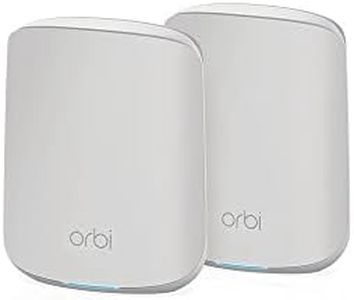
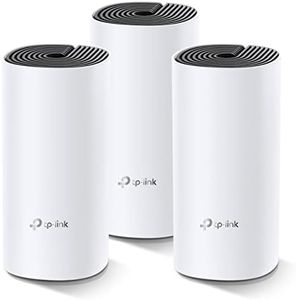
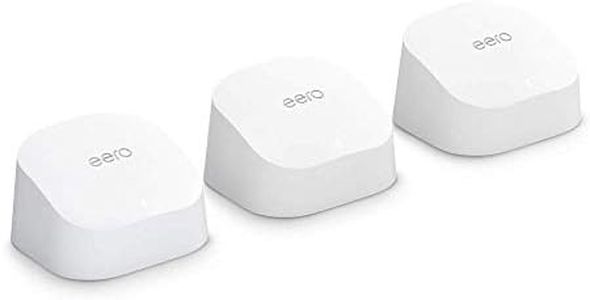

Buying Guide for the Best Mesh Routers
Mesh routers are a fantastic solution for anyone experiencing internet dead zones or unreliable Wi-Fi coverage at home or in the office. Instead of relying on a single router, mesh systems use multiple units spread throughout your space to create an overlapping network, ensuring strong and stable Wi-Fi in every corner. When deciding which mesh router is best for you, it's important to understand the key features, how they fit different homes and needs, and what will provide you with the best wireless experience.Coverage AreaCoverage area refers to how much space a mesh system can effectively cover with reliable Wi-Fi. This is usually measured in square feet or meters. Smaller homes or apartments may only require a single unit or a small kit, while larger spaces or homes with thick walls might need multiple mesh nodes. Evaluate where you need coverage, including multiple floors or outdoor spaces, and select a system that states coverage matching (or a bit exceeding) your layout, since signal strength can drop with walls or distance.
Number of Units (Nodes)Each mesh system comprises two or more units called nodes—one connects to your internet modem and the others are placed around your home. The more units you have, the more seamless coverage you get; however, too many units for a small space can be unnecessary. Generally, one node per floor or per major area is effective. Consider the size, shape, and wall composition of your home to decide how many nodes you'll really need.
Speed (Wi-Fi Standard)Wi-Fi speed depends on the standard the mesh router uses—commonly Wi-Fi 5 (802.11ac) or the newer Wi-Fi 6 (802.11ax). Wi-Fi 6 provides higher speeds and better performance when many devices are connected. If you have a busy household or plan to use lots of smart devices, streaming, or gaming, a Wi-Fi 6 system is ideal. For simpler use cases like browsing and light streaming, Wi-Fi 5 is generally sufficient.
Band Type (Dual-Band vs. Tri-Band)Mesh routers can be dual-band (offering two frequency channels, 2.4 GHz and 5 GHz) or tri-band (adding an extra 5 GHz channel). Tri-band systems use the extra channel for communication between nodes, which helps maintain higher speeds to your devices. Families with many connected devices or high-bandwidth activities (like 4K streaming on multiple screens) will benefit more from tri-band mesh systems, while smaller households can manage well with dual-band.
Ease of Setup and ManagementGood mesh systems come with easy-to-use apps or simple setup processes, guiding you through placement and letting you manage your network with minimal hassle. Look for features like mobile app controls, clear setup instructions, and the ability to monitor or control devices. If you value hassle-free setup and ongoing management, choose a system that’s reliable and well-rated for its user-friendly experience.
Parental Controls and Security FeaturesMany mesh routers offer advanced parental controls and security settings, allowing you to manage device access, restrict content, or set schedules for internet use. Some systems also include built-in protection against malware or suspicious activity. If you have children at home or are particularly concerned about online threats, prioritize mesh systems with strong, customizable security and parental features.
Expandability and CompatibilityThe best mesh networks are easy to expand by adding more nodes as your needs grow or your living situation changes. Some brands also allow mixing different types of nodes within the same system. If you anticipate moving to a bigger space or like the idea of upgrading parts of your network over time, opt for a system known for its flexibility and cross-compatibility.
Ethernet Backhaul SupportEthernet backhaul means the ability to connect mesh nodes with wired Ethernet cables for even more stable and faster communication between them. This is particularly useful if you have network cabling in place or want to minimize wireless signal loss over long distances or through thick walls. Users with demanding internet needs or challenging layouts should make sure their mesh system supports Ethernet backhaul.