10 Best Mini Photo Printers For Iphone
From leading brands and best sellers available on the web.By clicking on a link to a third party's website, log data is shared with that third party.
#1
Winner

Related Products
Up to 12% off
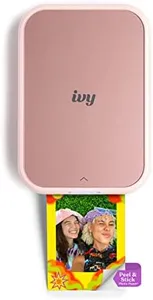

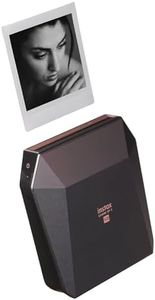
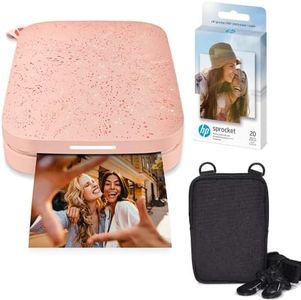
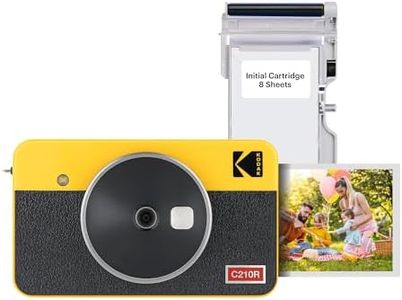


Buying Guide for the Best Mini Photo Printers For Iphone
Mini photo printers for iPhone are handy gadgets that let you quickly print photos from your phone wherever you are. They're great for parties, travel, or making personalized gifts and scrapbooks. To find the perfect one for you, you'll need to think about how you want to use it, how often, and which features will make your printing experience smooth and satisfying. It's important to understand a few key specs that will help you make the best choice.Print TechnologyPrint technology refers to the way the printer makes your photos. The most common types for mini printers are ink-free methods like ZINK (Zero Ink) and dye-sublimation. ZINK uses special paper with color crystals, while dye-sublimation heats dye onto the paper. ZINK is usually more portable and mess-free, while dye-sublimation often has slightly higher photo quality. If you prefer super-easy, mess-free printing and smaller printers, ZINK is great. If you're focused on print quality and don't mind carrying something a little bigger, dye-sublimation could be better.
Print SizePrint size means how big your printed photos will be. Mini printers usually print photos about the size of business cards (2x3 inches), but some can go up to 4x6 inches. Smaller prints are cute and portable, great for journals, stickers, or sharing with friends. Larger prints show more detail and are nice for home displays. Decide based on how you want to use your photos: if portability is your main goal, go smaller; if you want to make mini albums or wall decorations, bigger might be better.
Battery LifeBattery life is how long the printer can operate before needing a recharge. Some printers last for only 10–20 prints per charge, while others can handle more. If you're planning to use your printer all day at events or while traveling, pick one with longer battery life so you don’t have to keep recharging. For occasional, at-home use, even a shorter battery life can be fine.
ConnectivityConnectivity describes how the printer communicates with your iPhone. Most mini printers use Bluetooth, which is simple and wireless, but some might have WiFi or direct USB connection. Bluetooth is best for on-the-go printing since it's quick and easy to set up. If you want multiple people to print photos at once or need faster transfers, WiFi can be handy. Always make sure the printer supports iOS and has an easy-to-use app.
Photo Print SpeedPhoto print speed tells you how long it takes to produce one photo. Speeds can range from under a minute to a couple of minutes per print. Faster printing is nice if you want to make many photos quickly at parties, while a slower speed is usually fine for smaller projects or personal use.
Photo Quality and ResolutionPhoto quality and resolution determine how sharp and colorful your printed pictures will look. Resolution is measured in dots per inch (dpi). Higher dpi means more detail, but in mini printers, even mid-range dpi can look pretty good because the prints are small. If clear, vibrant detail is important to you, look for a higher dpi. For casual, fun snapshots, regular resolution will still be satisfying.
Paper Type and AvailabilityPaper type and availability mean what kind of photo paper the printer uses and how easy it is to buy more. Some printers only work with special paper that can be expensive or hard to find, while others use more common formats. Check that the paper is easy to find and fits your budget and needs. Some paper types also peel and stick like stickers, which is great for creative projects.
App FeaturesApp features refer to what you can do with the companion app for your printer. Some apps offer editing tools, creative filters, collage-making, and fun templates. If you enjoy customizing your photos or like to tweak them before printing, check out the app’s capabilities. Simple apps are best for quick prints, while more advanced options are good if you want extra creativity.