10 Best Mobile Charging Station
From leading brands and best sellers available on the web.By clicking on a link to a third party's website, log data is shared with that third party.
Related Products
Up to 30% off


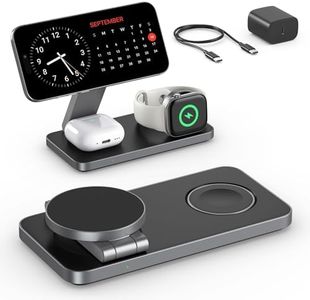
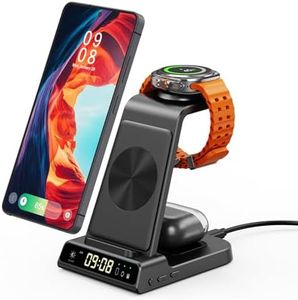
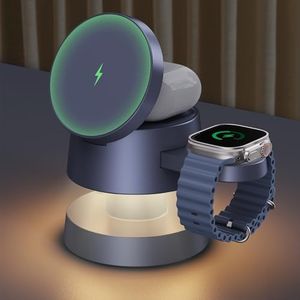

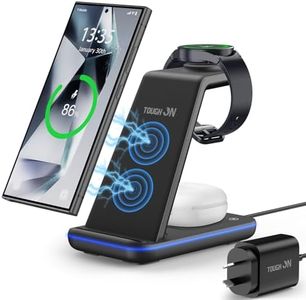
Recommended lists

Top rated
Charging Stations
Buying Guide for the Best Mobile Charging Station
Choosing the right mobile charging station can keep your devices powered up conveniently and efficiently, whether you're at home, in the office, or on the go. It's important to think about how many and what types of devices you regularly use, where you'll be placing the charging station, and whether you prefer wired, wireless, or a combination of both charging options. Understanding the main features will help you select a charging station that matches your needs and habits.Number of PortsThe number of ports tells you how many devices you can charge at the same time. This is important if you have multiple devices, or live or work with others who also need to charge things frequently. Charging stations can have as few as two, or more than ten ports. For most individuals or small families, 3-5 ports are usually enough to handle phones, tablets, and a gadget or two. If you have many devices—such as smartwatches, headphones, or share with several people—look for a charging station with more ports.
Type of Ports (USB-A, USB-C, Wireless)Not all charging ports are the same. USB-A is the traditional, bigger USB port, while USB-C is newer, smaller, and often faster, suitable for modern phones and laptops. Some charging stations also offer wireless charging pads for compatible devices. If most of your devices use the old USB cables, prioritize USB-A ports. For newer gadgets, make sure there are USB-C ports available. If you like clutter-free charging, a wireless pad can be handy for phones or earbuds that support it.
Power Output (Wattage/Amperage)Power output, measured in watts (W) or amps (A), determines how quickly your device will charge. Low outputs (like 5W-10W per port) are fine for smaller devices or overnight charging, but for fast charging newer phones or tablets, look for 15W or higher per port. Tablets and laptops may require even more, so check your device's max charge rate. If you often need a quick battery boost, opt for a station with higher wattage per port.
Safety FeaturesGood quality charging stations include built-in safety protections such as overcharge, overcurrent, and short-circuit protection. These features guard both your devices and the charging station itself from damage and are especially important if you often leave devices charging overnight or where children have access. For peace of mind and protection, make sure the station lists these safety features clearly.
Size and DesignCharging stations come in various shapes and sizes, from compact units that fit on a nightstand to larger hubs for offices or families. If you plan to keep the station in a bedroom or on your desk, choose something that suits your available space and looks neat. Some stations include slots or stands to organize devices upright; others are low-profile and hide cables well. The right design depends on your space and how tidy you want your charging area to be.
CompatibilityMake sure the charging station supports the devices you want to charge. Most stations are universal for USB-powered devices, but for gadgets that use proprietary cables or require extra power (like some laptops), check compatibility in the product description. If all your devices use standard charging, you have more flexibility, but always double-check before buying.
Removable or Built-in CablesSome charging stations come with built-in cables of different types, while others just provide the power ports and you supply your own cables. Built-in cables reduce clutter and keep everything tidy, but may be less flexible if you need to replace a cable or use extra-long ones. Removable cables let you mix and match for different devices but can get messy. Pick what matches your preference for neatness and the cable types you commonly use.