We Use CookiesWe use cookies to enhance the security, performance,
functionality and for analytical and promotional activities. By continuing to browse this site you
are agreeing to our privacy policy
10 Best Phone Photo Printers
From leading brands and best sellers available on the web.By clicking on a link to a third party's website, log data is shared with that third party.
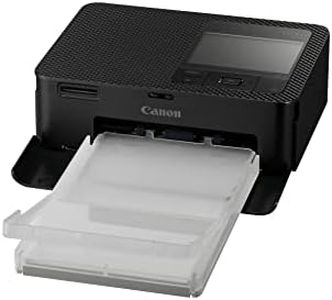
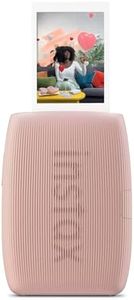
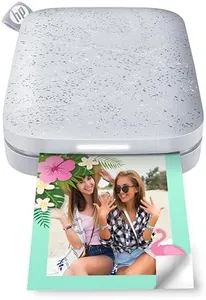

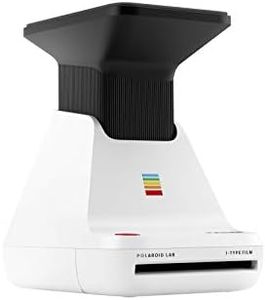
Related Products
Up to 15% off
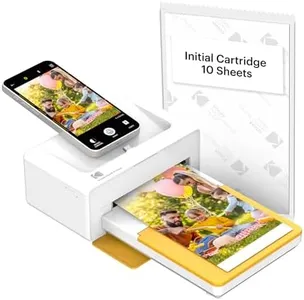
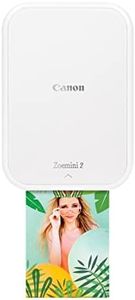

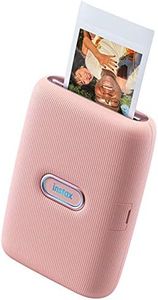
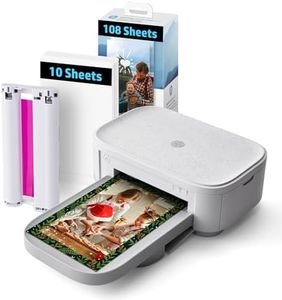
Buying Guide for the Best Phone Photo Printers
Picking a phone photo printer can be really enjoyable, as these gadgets let you instantly print photos straight from your phone—perfect for capturing memories on the go. When choosing the right one, you’ll want to balance quality, convenience, portability, and how well it connects with your device. It’s helpful to think about where and how you’ll use the printer most—whether you want it just for fun, crafting, or more serious keepsakes. The right choice should fit easily into your lifestyle, making the process of printing photos easy and satisfying.Print Quality (DPI)Print quality, often measured in DPI (dots per inch), tells you how sharp and detailed your printed photos will look. A higher DPI means more detailed prints, which is important if you want your photos to look clear and crisp. Low-DPI printers (around 200 DPI) produce softer images, good for casual fun photos. Mid-range (around 300 DPI) delivers a balance between quality and speed, making it great for most everyday prints. High-DPI printers (400 DPI and above) offer the sharpest images, best for keepsakes or when print clarity matters most. You should pick based on your needs: casual users can opt for lower DPI, while those who care a lot about picture detail should go higher.
Print SizePrint size is the actual dimensions of the photo each printer can create, usually measured in inches. Smaller sizes (like 2x3 inches) are handy for wallets, scrapbooking, or sharing on-the-go, but may limit what you can do with your photos. Medium sizes (around 3x4 inches) work well for decorations or memorabilia. Larger print sizes are less common among portable models but are more versatile. Choosing depends on how you want to enjoy or display your prints—go with smaller for portability and quick sharing, or larger if you plan to frame them or need more space for creative projects.
ConnectivityConnectivity means how your printer links up with your phone—usually via Bluetooth, Wi-Fi, or sometimes a wired connection. Bluetooth is super easy for on-the-go use and doesn’t need an internet connection, making it the most portable option. Wi-Fi can be faster and allows more devices to connect at once, but it usually needs a network set up. Some printers use NFC (tap-to-connect) for even simpler pairing. Pick the method that matches how and where you want to print: Bluetooth for casual or travel use, Wi-Fi for home or lots of users. Always make sure the printer supports your phone’s operating system.
Portability (Size & Weight)Portability covers how easy it is to carry the printer around. Lightweight, compact printers are ideal if you’re often on the move or want to print at events, but they might have smaller batteries or print sizes. Slightly bigger models may produce better prints but could be less convenient to pack. Think about your lifestyle: if you want to slip the printer in a bag or pocket, go as small and light as possible—but if you'll mainly use it at home or parties, a larger but higher-quality printer could be fine.
Power SourceThe power source refers to whether the printer runs on batteries, is rechargeable, or needs to be plugged in. Battery-powered and rechargeable models offer true freedom from outlets, excellent for travel or printing anywhere. Some need frequent recharging, while others offer longer battery life, so check how many prints you can make on a charge. AC-powered ones must be plugged in, which is okay if you’ll use it only at home. Decide based on your usage patterns: if you want to print while out and about, go for battery or rechargeable options.
Printing SpeedPrinting speed tells you how long it takes to produce one photo, usually measured in seconds per print. Faster printers (around 10 seconds per print) are good for busy events or impatient users, while slower printers (up to a minute or more) may not matter if you only print occasionally. Think about your patience and the situations you’ll print in—if you want instant prints at parties, speed can be important, but for quiet home use, waiting a bit longer might not be an issue.
Paper and Ink TypeThis refers to the kind of paper and ink the printer uses. Some use special ZINK (zero ink) paper, which is mess-free but may offer less vibrant colors. Others use cartridges or dye-sublimation for richer, longer-lasting prints. The type you pick affects print quality, ease of use, and ongoing costs, since you’ll need to buy refills. If you want no-fuss printing, ZINK paper is simplest. For better quality and lasting color, consider models that use traditional ink or dye processes.
App FeaturesThe companion app is what you use on your phone to select, edit, and print your photos. Some apps offer just basic printing, while others are packed with creative tools like filters, frames, collage makers, and AR effects. If you enjoy editing your photos or want to get creative, look for printers with advanced app features. If you just want quick, no-fuss prints, a simpler app will be just right. Make sure the app is compatible with your phone and is easy to use.