10 Best Photo Printers For Home
From leading brands and best sellers available on the web.By clicking on a link to a third party's website, log data is shared with that third party.
Related Products
Up to 11% off
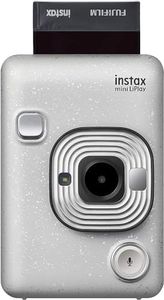

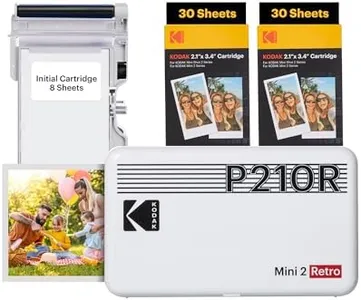
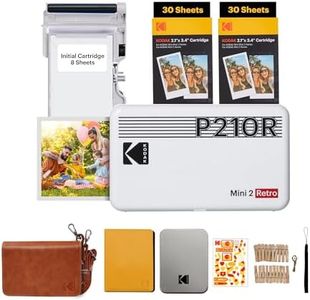
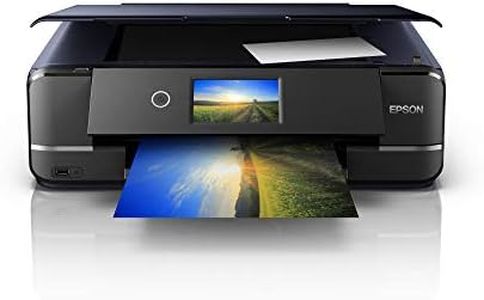
Buying Guide for the Best Photo Printers For Home
Choosing a photo printer for your home can really make preserving memories a joy. It's all about considering what you want to use the printer for—occasional family photos, creative projects, or maybe scrapbooking. Think about how much space you have, whether you want something simple or more versatile, and how much effort you're willing to put into printing. Understanding the key features will help you pick the right printer for your needs and enjoy beautiful prints at home.Print ResolutionPrint resolution refers to how many dots are used to create each square inch of your photo, commonly shown as DPI (dots per inch). This is important because a higher print resolution means sharper and more detailed photos. Lower values (like 300 DPI) are often fine for everyday snapshots or small prints you might keep in a photo album. Middle-range values (around 4800 x 1200 DPI) are ideal if you enjoy slightly bigger photos and want more detail. The highest values (like 9600 x 2400 DPI) are best for those who want professional-level quality or enjoy printing larger photos you might display. Consider how much detail matters to you and the size of photos you want to print when choosing the right print resolution.
Ink SystemThe ink system describes how many different inks the printer uses to create colors. Some printers use just a couple of ink cartridges (like black and color), while others use four, six, or even more different colors. Basic two-cartridge systems are simpler and good for general use, but colors can look less vibrant. Four-cartridge systems are a step up, producing richer colors that are great for most home photo printing. Six-cartridge systems or higher are great for people who want gallery-quality prints with smooth color transitions and high accuracy. Think about your interest—more inks can mean better photos, but can be a bit more to maintain. If you want easy and straightforward prints, fewer inks are okay; if you want best color, choose a printer with more separate inks.
Paper HandlingPaper handling refers to the sizes and types of paper the printer supports, as well as how you load the paper. Some printers are only designed for standard photo sizes like 4x6 inches, which is perfect if you mainly want small, traditional prints. Others support larger sizes, including letter-sized or borderless photos, which is ideal if you want to make bigger prints or creative projects. Look for a printer that matches the kind of paper and sizes you want to use, whether it's glossy, matte, stickers, or even specialty paper. If you love crafting, scrapbooking, or want variety, go for a printer with flexible paper handling.
Connectivity OptionsConnectivity options are all the different ways you can send photos to the printer. This can include USB cables, Wi-Fi, Bluetooth, SD card slots, or even direct printing from your smartphone. If you want the easiest experience, especially printing straight from your phone or tablet, look for wireless options. Traditional USB connection is dependable if you prefer using a computer. Some printers offer multiple options, which is great if several people in your home want to print from different devices. Pick the connectivity that fits your routine—if you use your phone for photos, prioritize wireless flexibility.
Print SpeedPrint speed tells you how quickly the printer can produce a photo, usually measured in seconds or minutes per print. Fast print speeds (like under a minute for a 4x6 photo) are helpful if you want multiple prints quickly or you have impatient kids! Slower speeds (a couple of minutes per photo) might be fine if you print occasionally and aren't in a rush. If you'll be printing batches of photos at events or for gifts, a faster printer is more convenient; for occasional or one-off prints, speed may not matter as much.
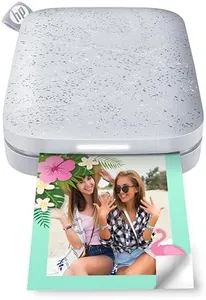
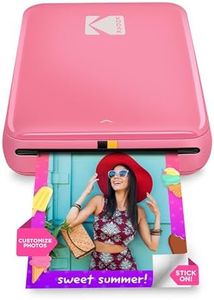
Printer Size and DesignThe printer's size and design can impact where you place it at home and how easy it is to use. Some photo printers are compact and portable, perfect for small spaces or moving around the house. Larger printers might offer extra features or support larger prints, but need more space. Consider where you plan to use the printer—if you have limited room, go for a compact option; if you want more features and have a dedicated space, a larger size could work.