6 Best Sennheiser For Tv
From leading brands and best sellers available on the web.By clicking on a link to a third party's website, log data is shared with that third party.

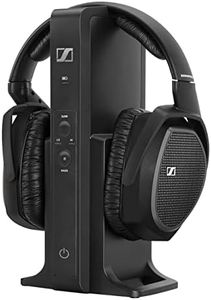
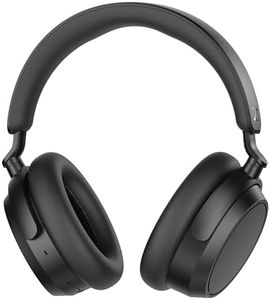
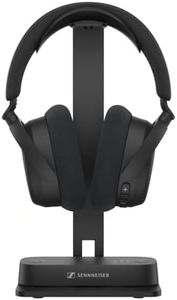
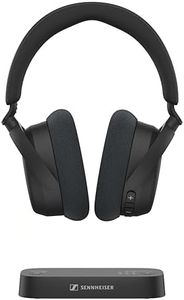
Buying Guide for the Best Sennheiser For Tv
If you’re looking for a Sennheiser product to use with your TV, it’s important to focus on how well it matches your watching habits and your listening environment. Consider whether you watch TV alone or with others, whether you need to avoid disturbing others, and your personal preferences for comfort, audio quality, and convenience. Picking the right device is about more than just the best sound—it’s about how easily it fits into your lifestyle.Connection Type (Wired vs Wireless)Connection type refers to how your headphones or audio device link to your TV—by a physical cable (wired) or wirelessly (Bluetooth or RF). Wired connections are simple, reliable, and often don’t require charging, but can limit your movement. Wireless options provide more freedom to move around, but can require charging and may occasionally have minor delays or interference. If you tend to sit close to the TV, a wired pair can be enough, but for moving around or if you want convenience, wireless is usually preferred.
Sound QualitySound quality is about how clear, detailed, and immersive the audio experience is. For TV watching, crisp vocals and balanced sound are important so you can easily follow dialogue, music, and effects. Basic audio setups are sufficient for casual watchers, while those who appreciate movies, sports, or music might want richer sound with more detail and a wider soundstage. If you have trouble hearing clearly, look for products that emphasize voice clarity.
Comfort and FitComfort and fit explain how the headphones feel when you wear them, especially for long viewing sessions. Options include over-ear, on-ear, and in-ear designs. Over-ear models are usually the most comfortable for extended use, while in-ear designs are lighter and less bulky but can be less comfortable for some people. Consider how long you typically watch TV and if you wear glasses, as this can affect what feels best.
Battery LifeBattery life tells you how long wireless headphones can work before needing a recharge. Shorter battery life may mean more frequent charging, which can be inconvenient. Segments range from a few hours (for light, short sessions) to over 20 hours (for marathon use or rare charging). If you use your headphones a lot or forget to charge them, longer battery life is better.
TV CompatibilityTV compatibility refers to whether the audio device can connect properly with your TV, considering both physical ports (like headphone jacks, optical, or RCA) and wireless capabilities (Bluetooth or RF transmitters). Some TVs may not have Bluetooth or a headphone jack, in which case a wireless system with its own transmitter or adapters can be necessary. Always check your TV’s output options to make sure the audio device will work seamlessly.
Dedicated TV FeaturesSpecial TV features may include easy-to-use volume controls, speech enhancement modes, or docking stations for charging. These features are designed to make watching TV easier and more enjoyable, especially for people who need clearer dialogue or want simple controls. If you have specific needs like hearing loss or limited mobility, look for features tailored for TV use, such as separate volume adjustment for each ear or quick mute buttons.
Range (Wireless Models)Range describes how far you can move from the TV before the sound cuts out, which is especially important with wireless headphones. Short-range options are fine if you sit near the TV, while longer-range options let you move around the house. If you like getting up to grab a snack while listening, longer range is helpful.