2 Best Side Imaging Fish Finders
From leading brands and best sellers available on the web.By clicking on a link to a third party's website, log data is shared with that third party.
Recommended lists

Top rated
Fish Finders
Buying Guide for the Best Side Imaging Fish Finders
Choosing a side-imaging fish finder is all about matching the features of the device to your fishing style and the types of waters you explore. These devices use advanced sonar technology to send out signals to the sides of your boat, painting a wide, detailed picture of the underwater environment. The right fish finder can help you locate fish, avoid hazards, and understand the structure of the lake or riverbed. It's important to consider the technical specs, but also pay attention to how easy the device is to use and how its features fit your typical fishing needs.Imaging FrequencyImaging frequency refers to the number of sonar pulses sent out by the fish finder. Higher frequencies (like 800 kHz or above) create sharper and more detailed images, making it easier to see fish and structure clearly, especially in shallow water. Lower frequencies (such as 455 kHz) penetrate farther, which is helpful for deeper water but may show less detail. If you mostly fish in shallow lakes or want crisp images of structures and fish, choose a higher frequency; for deep water fishing or if you need to cover large areas, a lower frequency may be better.
Screen Size and ResolutionScreen size and resolution affect how easily you can read and interpret the images from your fish finder. Larger screens (7 inches or more) and higher resolution make it easier to see fine details and split the display between different views like maps and side images. Smaller screens can be more portable or fit on smaller boats, but they may be harder to read, especially in bright sunlight or for split-screen use. Pick a larger screen if you value detailed visuals or often share your fish finder with others, and a smaller one if space is limited.
Side Imaging RangeSide imaging range is the distance to each side of your boat that the fish finder can scan. Wider ranges (up to 400 feet or more) help you scan greater areas quicker, which is useful for covering big waters and getting a good overview of the surroundings. Shorter ranges give more detailed images but cover less water per pass. If you fish large lakes or rivers, a larger range is valuable for exploring new spots efficiently. If you mainly fish smaller bodies of water, a shorter range with better clarity might suit you more.
GPS and Mapping CapabilitiesMany modern fish finders include GPS and mapping features, allowing you to mark waypoints (good fishing spots), create routes, and view maps of the water. This is important for navigation and for returning to successful locations. Some devices offer advanced maps or let you create your own custom maps. If you often fish unfamiliar waters or want to keep track of your best fishing spots, make sure the device has robust GPS and mapping features. If you always fish in the same area, basic mapping might be enough.
Ease of UseEase of use covers how simple it is to operate the fish finder, including navigating menus, setting up side imaging, and interpreting the images. Some have touchscreen controls or customizable settings for quick adjustments. Others rely on buttons and may have steeper learning curves. If you’re new to fish finders or want a stress-free experience, look for straightforward controls and intuitive menus. Experienced users who want more control might appreciate deeper customization options.
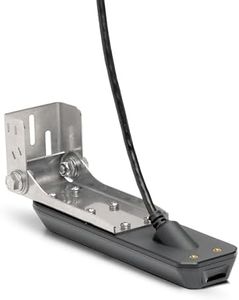
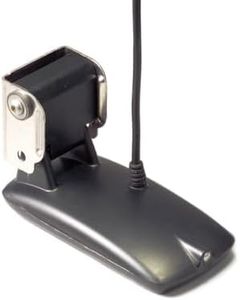
Transducer TypeThe transducer is the part of the fish finder that sends and receives sonar signals. Different types are designed for various mounting options (transom, trolling motor, through hull) and offer varied features like dual-frequency operation. Your choice depends on your boat type and the specific waters you fish. For easy installation and general use, a transom-mount transducer is common. If you use a kayak or smaller vessel, look for compatibility with portable or specialized mounts.