10 Best Streaming Mics
From leading brands and best sellers available on the web.By clicking on a link to a third party's website, log data is shared with that third party.
Related Products
Up to 45% off

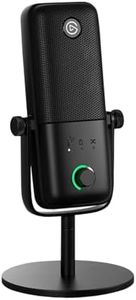
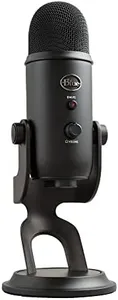
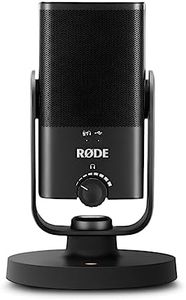
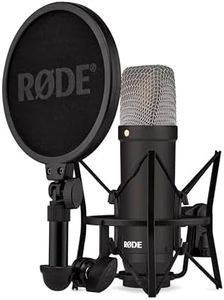
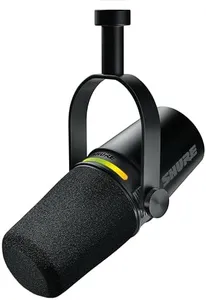
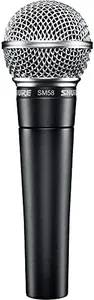
Buying Guide for the Best Streaming Mics
Choosing the right streaming microphone can make a huge difference in how clear and professional you sound to your audience. The best microphone should fit both your recording environment and how you plan to use it. Before you buy, consider your typical streaming setup, how much background noise you have, and whether you'll be using the mic for just talking or for music and gaming too. Understanding the key microphone specs will help you narrow down your choices and find the best fit for your specific needs.Microphone Type (Dynamic vs. Condenser)Microphones come mainly as dynamic or condenser types. Dynamic mics are more rugged and tend to pick up less background noise, making them good for noisy environments. Condenser mics are more sensitive, offering greater detail and crispness, which is perfect for quiet rooms but can catch unwanted sounds if your setting is loud. If you stream in a controlled, quiet space and want a natural sound, condenser is usually preferred. For busy or shared spaces, dynamic mics are often the smarter choice.
Pickup PatternThe pickup pattern, or polar pattern, refers to the direction(s) a mic detects sound best. The most common for streaming is the cardioid pattern, which captures sound mostly from the front and minimizes background noise, ideal for solo streamers. Some mics offer multiple patterns, like bidirectional (front and back) or omnidirectional (all around), which can be handy if you have guests or record group chats. Choose cardioid for most streaming setups, but consider multi-pattern mics if you plan varied content.
Connection Type (USB vs. XLR)Microphones connect via USB or XLR. USB mics plug directly into your computer and are simple to set up—just plug and play. XLR mics need an audio interface or mixer to work, which is a bit more complex but offers better sound control and upgrade options. USB is ideal for beginners or those who want hassle-free setup, while XLR is suited to users who want to customize their audio or who might expand into more advanced equipment.
Frequency ResponseFrequency response tells you the range of sounds a mic can pick up, measured in hertz (Hz). A wider range (like 20 Hz to 20,000 Hz) typically means the mic can capture both deep bass and bright treble, resulting in clearer, fuller sound. For streaming, focus on microphones optimized for voice range (roughly 80 Hz to 15,000 Hz), as these catch the details of your speech while avoiding unnecessary low or high frequencies. Check if the mic is tailored for vocals, which usually suits streamers best.
Onboard ControlsSome mics have built-in controls, like mute buttons, headphone jacks for zero-latency monitoring, and gain knobs to adjust your volume. These are especially handy for live streamers, allowing quick adjustments without fiddling with software. If you like making real-time tweaks as you record or stream, look for mics with easy-access controls. If you prefer to adjust things in your recording software, this feature is less important.
Mounting and AccessoriesA mic’s included accessories can make life much easier. Some come with adjustable stands, shock mounts to reduce vibrations, or pop filters to cut down harsh 'p' and 'b' sounds. These extras save you from buying them separately and can help improve your sound quality and comfort during long streams. Consider your streaming workspace and whether you need stands, booms, or dampeners for your setup.