5 Best Wifi Smoke Detector
From leading brands and best sellers available on the web.By clicking on a link to a third party's website, log data is shared with that third party.
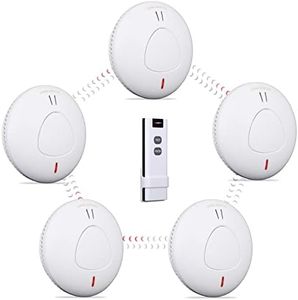


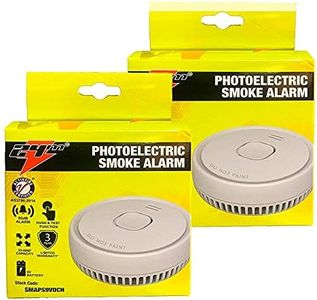


Buying Guide for the Best Wifi Smoke Detector
Choosing a WiFi smoke detector is a great way to combine home safety with convenience and smart features. When selecting one, it's important to focus on features that enhance early detection of smoke or fire, make alerts more accessible—such as notifications on your phone—and ensure easy installation and reliability. Thinking about where you want to install it and how you want to interact with it (for example, through an app or voice assistants) will help you pick the model that suits your needs best.Smoke Detection TechnologyThis refers to the method the detector uses to sense smoke. The main types are ionization and photoelectric. Ionization sensors are generally better at detecting fast-flaming fires, while photoelectric sensors excel at sensing smoldering, smoky fires. Some models combine both for comprehensive protection. To choose the right one, consider where you're installing it: for kitchens, photoelectric is less likely to trigger false alarms from cooking; in living areas or bedrooms, dual-sensor types offer the best safety.
WiFi ConnectivityThis spec shows how the detector connects to your home network to send alerts to your phone or smart devices. A strong and stable WiFi connection is important for timely notifications. Look at whether the detector supports modern WiFi standards, like 2.4GHz or 5GHz. Devices that work only with 2.4GHz networks are more universally compatible, but if your home mainly uses 5GHz, you'll want to make sure it's supported. Think about your router's range and placement to avoid areas with weak signal.
Smart Home IntegrationThis is about whether the smoke detector can communicate with other smart devices such as lights, security systems, or voice assistants like Alexa or Google Assistant. Basic models simply alert your phone, while more advanced ones can trigger actions (like turning on lights) or send alerts to several family members. If you use other smart devices, choose a detector that works with your existing system for smoother automations.
Alarm Notification TypesWiFi detectors can alert you in several ways: a loud on-device siren, push notifications to your smartphone, email alerts, and sometimes automated phone calls. Consider who you want notified—yourself only, or other family members—and whether you need alerts when you're away from home. Some models support multiple contacts and custom notification settings. Think about your lifestyle and how quickly you want to receive and respond to alerts.
Power Source and Battery BackupDetectors can be hardwired into your home’s electricity, run solely on batteries, or use a combination (hardwired with battery backup). Battery models offer simpler installation and can be placed anywhere, while hardwired versions require more effort to install but don't need frequent battery changes. Battery backup is essential for reliable operation during power outages. If you want low-maintenance, look for long-life (10-year) battery models or those with low-battery alerts.
Testing and Silence FeaturesLook for devices with easy testing and silence controls, which may be physical buttons or app-controlled. Testing lets you confirm the detector is working properly, while a silence feature lets you hush false alarms quickly (especially useful in kitchens). App-based controls add convenience if the detector is hard to reach. If you want to minimize hassle, pick a model that allows simple remote management.
Installation and Placement GuidanceCheck if the detector comes with clear installation instructions, mounting hardware, and guidance on where to install for best coverage. Some models offer mobile app guides or tips on optimal placement. If you aren't experienced with DIY projects, select models that emphasize easy installation and have helpful customer support resources.