10 Best Label Maker For Mac
From leading brands and best sellers available on the web.By clicking on a link to a third party's website, log data is shared with that third party.
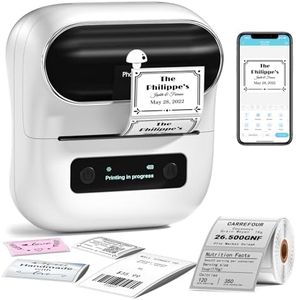
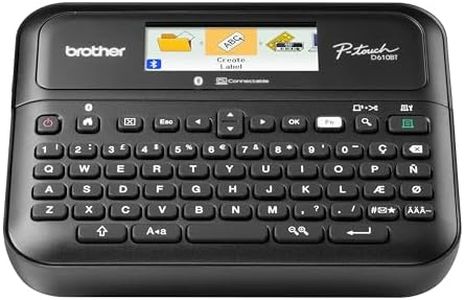
Recommended lists

Top rated
Label Makers
Buying Guide for the Best Label Maker For Mac
Choosing a label maker for your Mac means finding a device that easily connects to your computer, produces high-quality labels, and fits your specific labeling needs. Think about what you'll use it for—home organization, small business shipping, crafts, or office management. Compatibility with your operating system, ease of use, and the types of labels you want to create are all important factors. Understanding key specs will help you select the right label maker for your tasks.Mac CompatibilityThis refers to whether the label maker’s software works with your Mac. Mac compatibility ensures the machine’s design software can install on macOS and run smoothly. Some label makers are Windows-only, so it's crucial to look for explicit support for Mac systems. Usually, you can find compatibility information on the packaging or the manufacturer’s website. If you want a straightforward experience, go for a label maker that advertises official Mac support, so you don’t have to deal with extra drivers or complicated workarounds.
Connection TypeThis is about how the label maker connects to your Mac—typically via USB, Bluetooth, or Wi-Fi. USB connections are usually very reliable and easy to set up, ideal for a stationery workspace. Bluetooth and Wi-Fi offer wireless flexibility, allowing you to print from anywhere within range. If you plan to use the label maker in different rooms or share it with others, a wireless connection might be better. For individual, stable use at a desk, a USB connection keeps things simple.
Label Types and SizesLabel makers vary in the types and sizes of labels they support, from simple address stickers to wide, multi-line labels for folders, cables, or packages. Think about your primary use: narrow labels suit folders or cables, while wider labels fit storage boxes or shipping parcels. Pick a model that supports the range of label widths and styles you'll actually need; this ensures you won’t be limited if your tasks expand over time.
Print ResolutionPrint resolution, usually measured in dots per inch (dpi), determines how sharp and clear your printed labels will look. Higher resolution means crisper text and images—important for barcode labels, logos, or tiny fonts. Basic home or occasional use might need just standard resolution, but for professional or highly detailed printing, choose a higher resolution model. Consider what you’re printing: addresses versus detailed graphics or barcodes.
Software FeaturesSoftware features include templates, design tools, and ease of use. Some label makers offer simple, drag-and-drop interfaces with lots of built-in designs for common labels, while others allow custom fonts and barcodes. If you like creativity or have specific needs (like serial number labels), robust software with more features will help. For basic labeling, intuitive, template-based software keeps things quick and easy—choose your preferred balance.
Power SourceLabel makers may use batteries, USB power, or AC adapters. Portability is higher with battery-powered models, great if you travel or label on the go. USB or plug-in models are better for desktop setups where consistent power is needed. Think about where you’ll use the label maker most—at a desk, in different locations, or out in the field—and select the power source that matches your workflow.
Tape or Ink Cartridge SystemThis refers to the material the label maker uses to print your labels—thermal tape, inkjet cartridges, or other systems. Thermal label makers use heat and don’t need ink, so they’re cleaner and cheaper to run. Models using ink cartridges can offer color or special finishes but may have higher ongoing costs. If you want simple, mess-free, and cost-effective labeling, thermal tape makes sense. For colorful or specialty labels, consider an ink-based system.